Last year I wrote a blog post outlining my use of DBHub.io as a serverless backend for typecode lookups in my Planes Overhead app. Unfortunately, DBHub.io ceased operations at the end of February, putting me back in the market for a new solution!
The Need
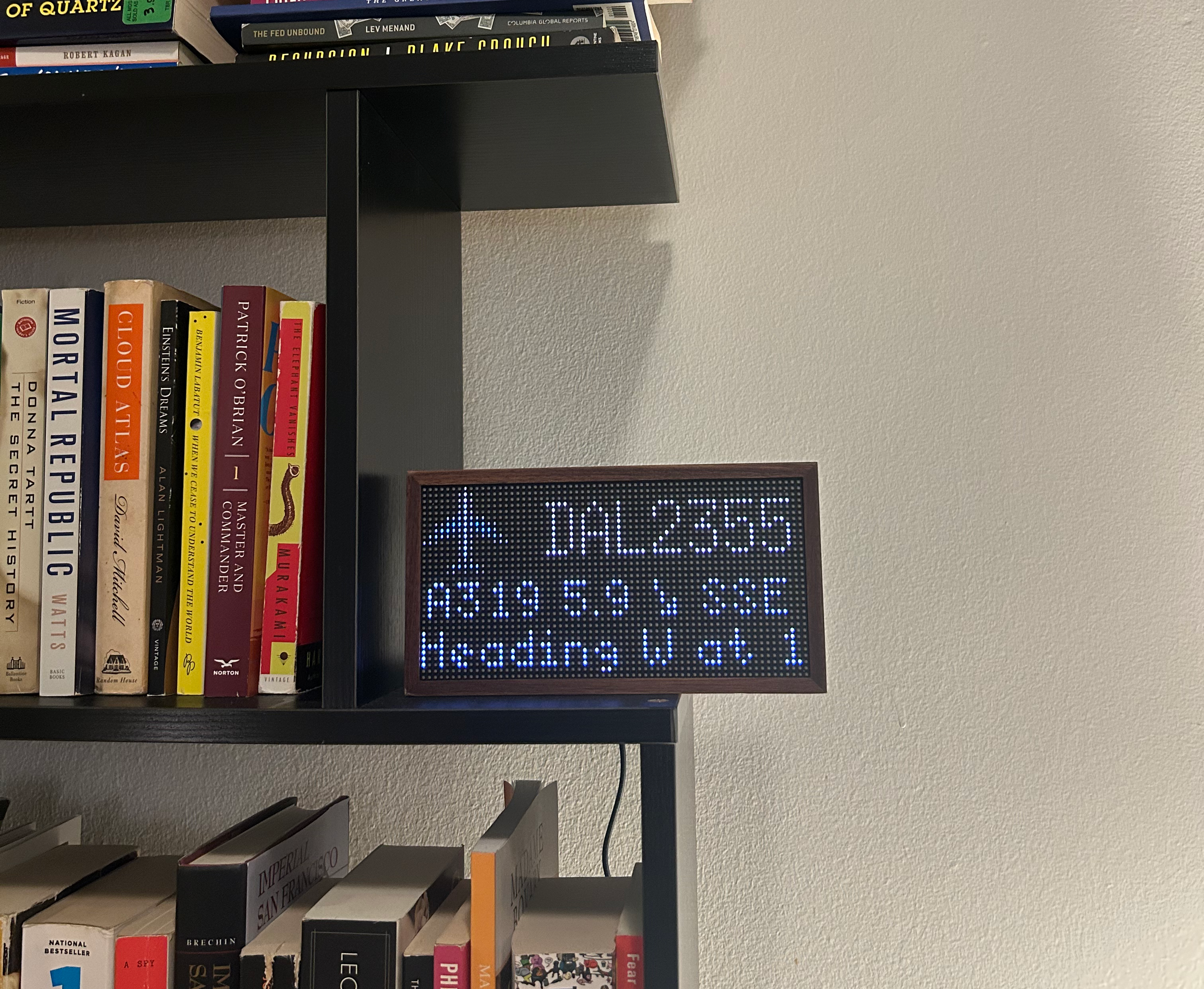
As a reminder, my Tidbyt app uses the OpenSky API to obtain the closest plane overhead and populate the display. The typecode detail on the middle-left was a late addition that leverages the unique icao24 identifier for a given plane, which is checked against a flat-file database to fetch the relevant aircraft model.
I added this feature because I love catching the A388 and B77W heavies which fly over my house on the LAX approach path! Here’s a snap of the app showing a Delta Airlines A319 a few miles southeast of my house:
Thinking Through the Solution
DBHub.io was the perfect solution to my need because it allowed the OpenSky aircraft database to be turned into a queryable REST endpoint with an absolute minimum of intermediate steps: convert the CSV to an SQLite database, upload it, and you’re done.
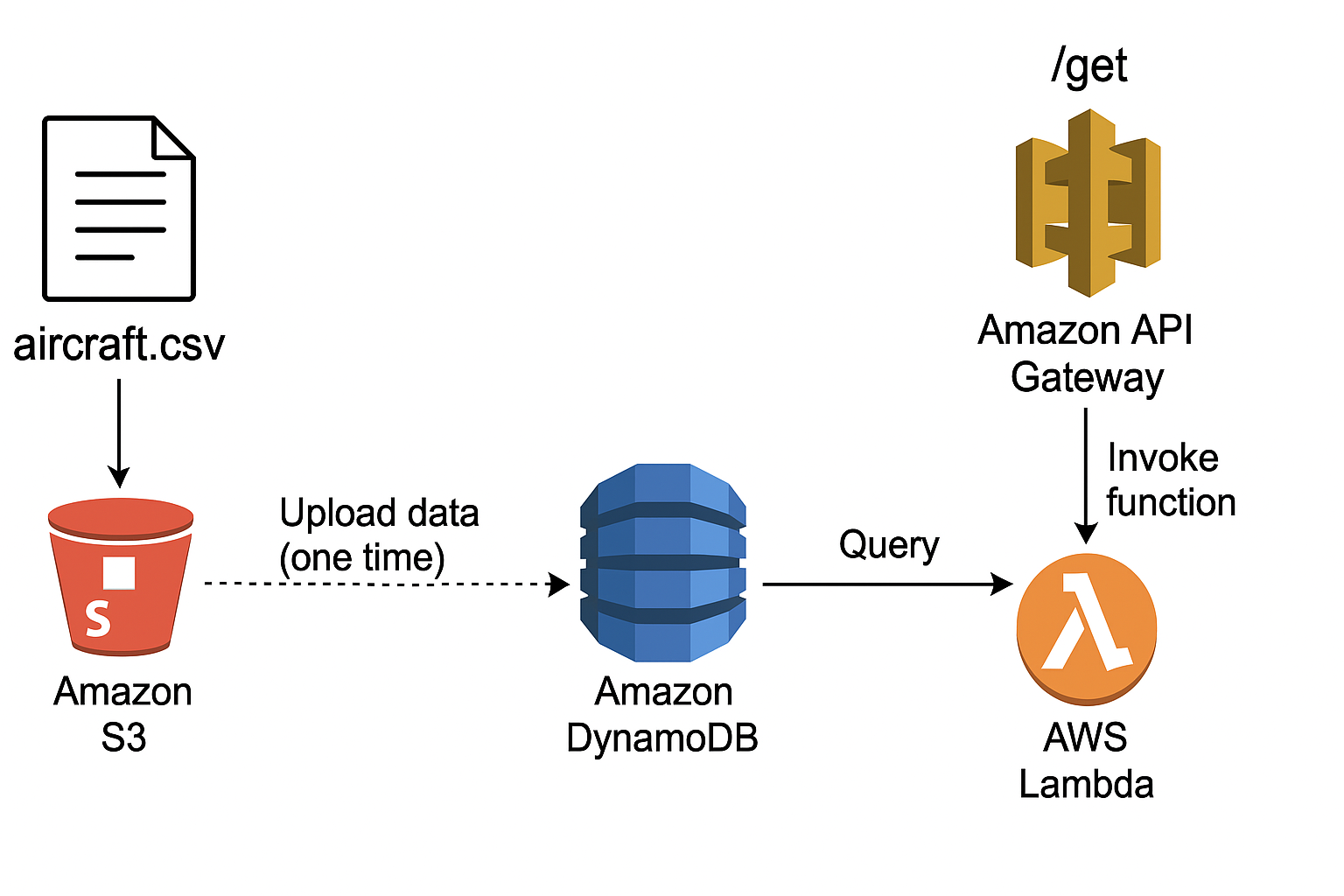
Without the luxury of that tooling, I figured I would try to build out an ideal end-to-end architecture for this myself in a way that minimizes cost and required infrastructure. I settled on the following:
- Backend: DynamoDB table storing
icao24identifiers andtypecodefor about 500k planes - Middleware: Lambda function which fetches the
typecodefor a givenicao24input - Endpoint: REST API endpoint using API Gateway which creates a
GETpath to queryicao24and get backtypecode
How I Built it Out
Pre-Processing Data
The complete aircraft database files from OpenSky contain a lot of data we don’t need and have some formatting and validity issues - so we’ll take a second to pre-process the data, keeping only the icao24 and typecode columns and cleaning the data.
I wrote a simple Python script which accepts the source file as an argument and outputs the data to aircraft.csv - it can be run as follows:
python3 clean_aircraft_csv.py aircraft-database-complete-2025-02.csv
import pandas as pd
import sys
import os

def clean_aircraft_data(input_path, output_path="aircraft.csv"):
    try:
        # Load the CSV, skip malformed lines
        df = pd.read_csv(input_path, header=0, on_bad_lines='skip')

        # Fix column names
        df.columns = [col.strip().strip("'").strip('"').lower() for col in df.columns]

        # Keep only the relevant columns
        df = df[['icao24', 'typecode']]

        # Convert to string, strip whitespace and quotes
        for col in ['icao24', 'typecode']:
            df[col] = df[col].astype(str).str.strip().str.strip("'").str.strip('"')

        # Drop rows with missing or empty icao24
        df = df[df['icao24'].notna()]
        df = df[df['icao24'] != '']

        # Save the cleaned data
        df.to_csv(output_path, index=False)
        print(f"✅ Cleaned CSV written to {output_path} ({len(df)} rows).")

    except Exception as e:
        print(f"❌ Error processing CSV: {e}")

if __name__ == "__main__":
    if len(sys.argv) < 2:
        print("Usage: python clean_aircraft_csv.py <input_csv_file>")
        sys.exit(1)

    input_file = sys.argv[1]
    if not os.path.exists(input_file):
        print(f"❌ File not found: {input_file}")
        sys.exit(1)

    clean_aircraft_data(input_file)
Building the Backend: DynamoDB Table
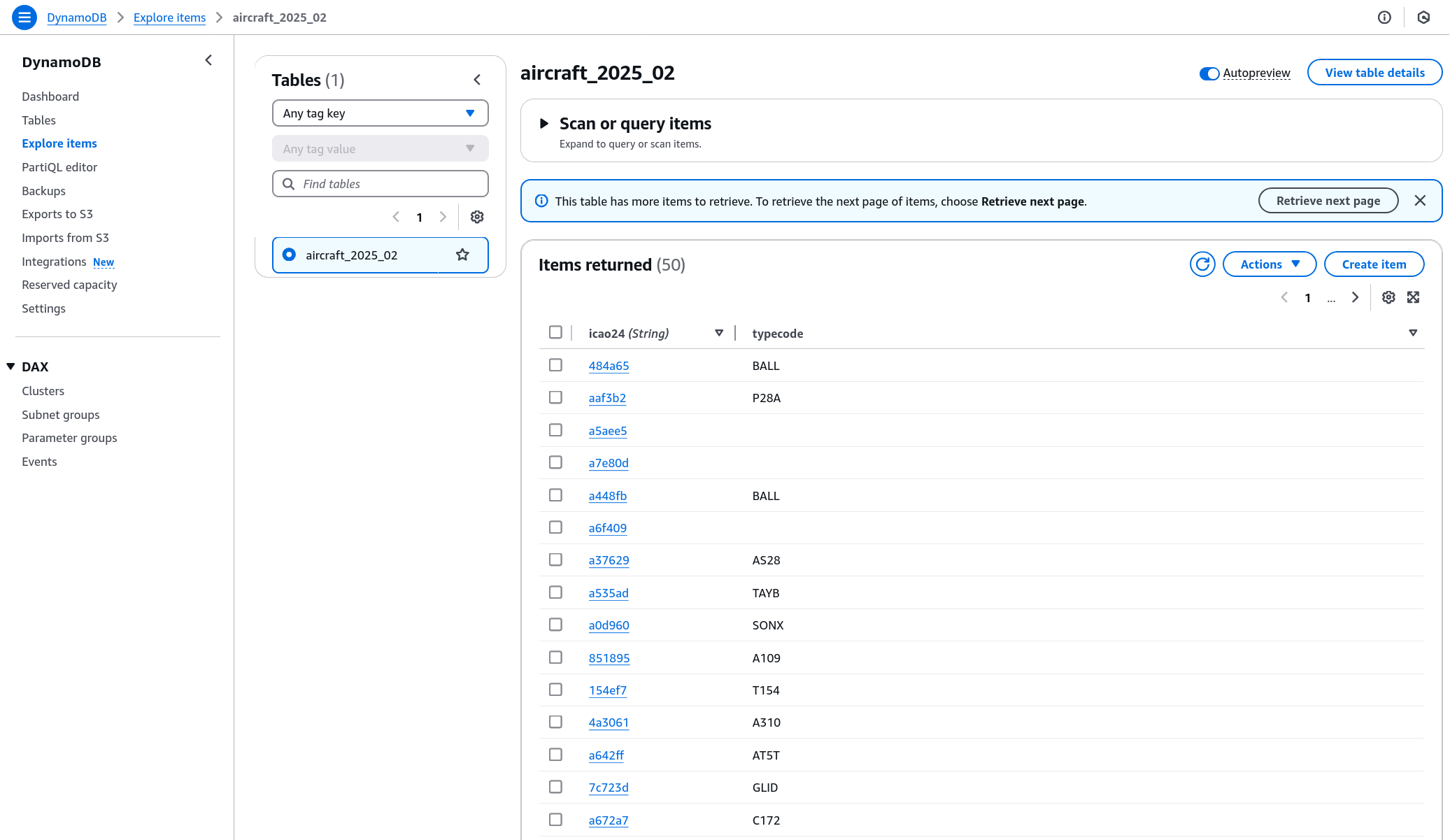
Our slimmed down source data can easily be turned into a DynamoDB table by uploading the new CSV into S3 and using the DynamoDB wizard to create a new table from that S3 source! This was super straightforward - after doing so, one can explore the records like so:
Defining the Lambda Function
Our Lambda function is where queries will be executed against DynamoDB and the output returned! The setup here entails:
- Adding Python code to take in function arguments, query DynamoDB, and return the output
- Defining an API Gateway Trigger that invokes the function
Note that we specify the TABLE_NAME as an environment argument to the code - I’m setting it there so that I can easily point the Lambda function at new DynamoDB table names for when I upload future copies of the aircraft database.
import boto3
import json
import os

# Pull the latest table name from environment variable
TABLE_NAME = os.environ.get("TABLE_NAME")

dynamodb = boto3.client("dynamodb")

def lambda_handler(event, context):
    icao24 = event.get("pathParameters", {}).get("icao24")

    if not icao24 or not TABLE_NAME:
        return {
            "statusCode": 400,
            "body": json.dumps({"error": "Missing ICAO24 or table name not configured"})
        }

    try:
        response = dynamodb.get_item(
            TableName=TABLE_NAME,
            Key={"icao24": {"S": icao24}}
        )

        item = response.get("Item")
        if not item:
            return {
                "statusCode": 404,
                "body": json.dumps({"error": f"{icao24} not found"})
            }

        return {
            "statusCode": 200,
            "body": json.dumps({
                "icao24": item["icao24"]["S"],
                "typecode": item["typecode"]["S"]
            }),
            "headers": {"Content-Type": "application/json"}
        }

    except Exception as e:
        return {
            "statusCode": 500,
            "body": json.dumps({"error": str(e)})
        }
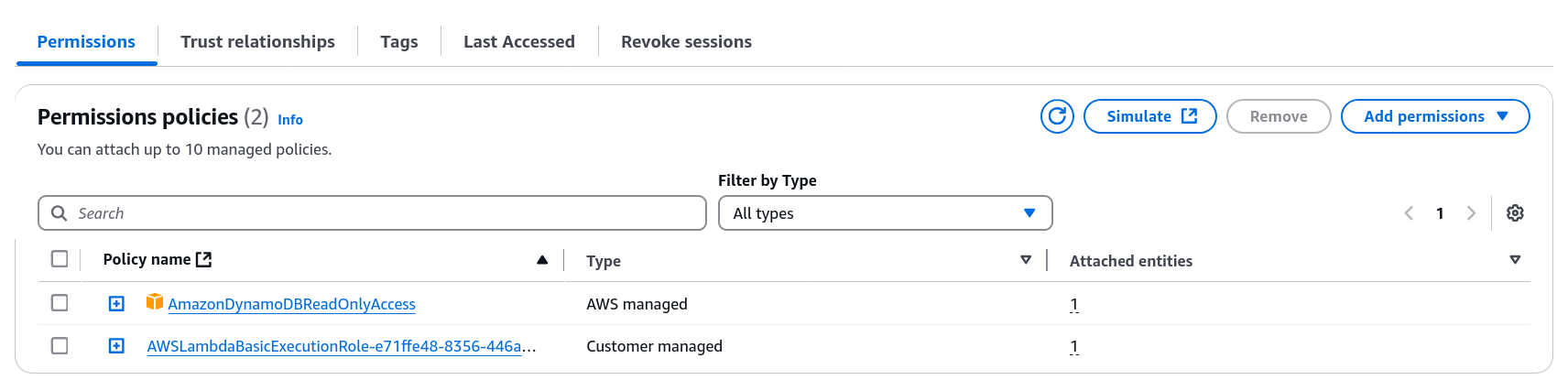
One more heads up - the setup process creates a new Role for the Lambda function within IAM… that Role needs to be granted read access to DynamoDB so that it can execute the get_item command.
Establishing the API Gateway
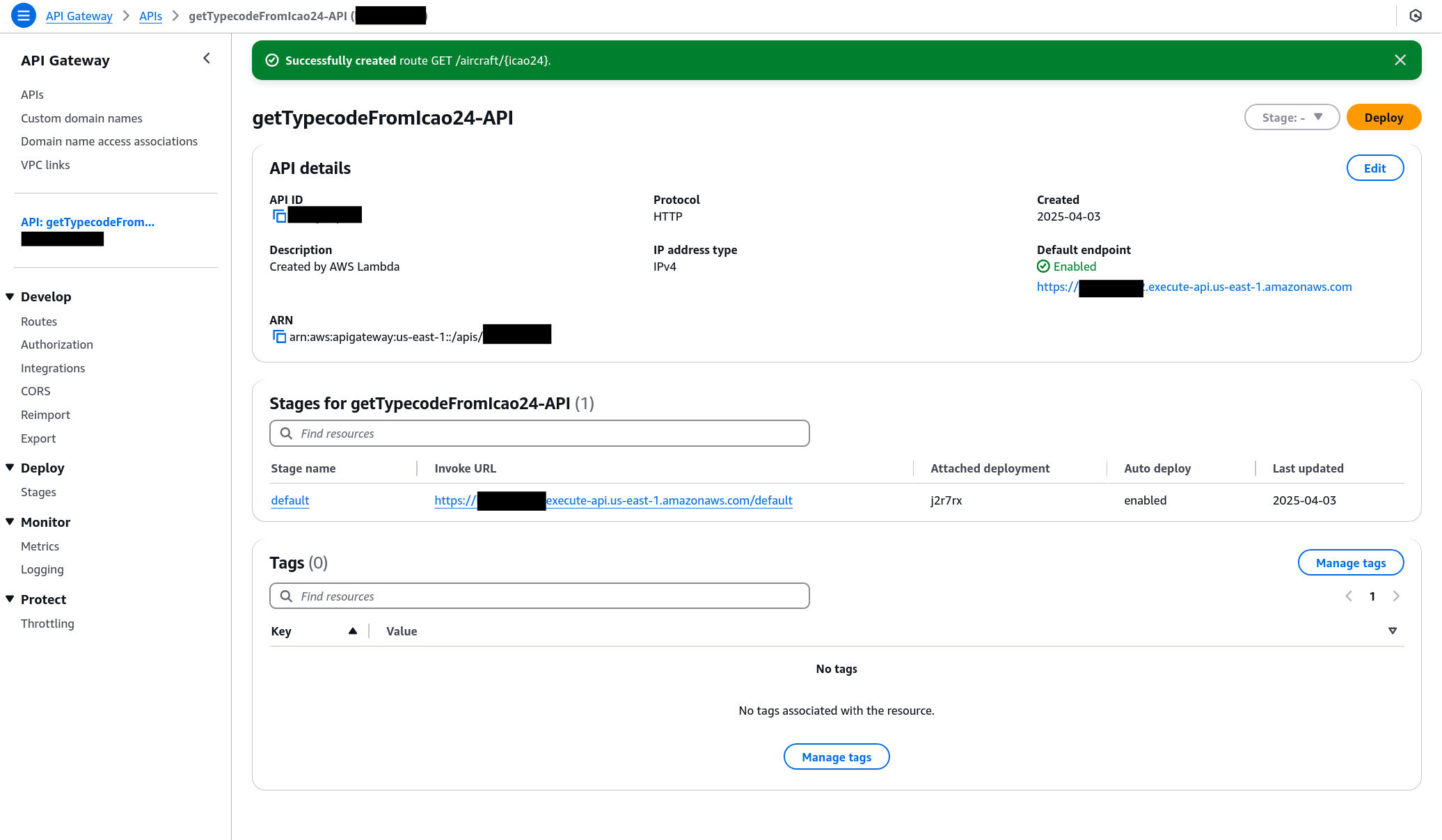
Our final step is setting up a URL route that defines a GET path and triggers our Lambda function.
This was blessedly simple since we’ve already made API Gateway a trigger for this action… after declaring we’d like to set up GET /aircraft/{icao24}, we point the route at the Lambda resource and are all done.
Accessing the Final Result
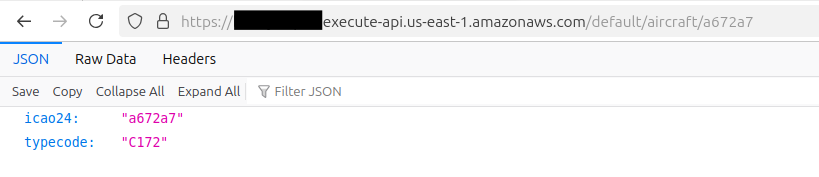
Appending our GET path of /aircraft/{icao24} to the Invoke URL that AWS provides worked perfectly!
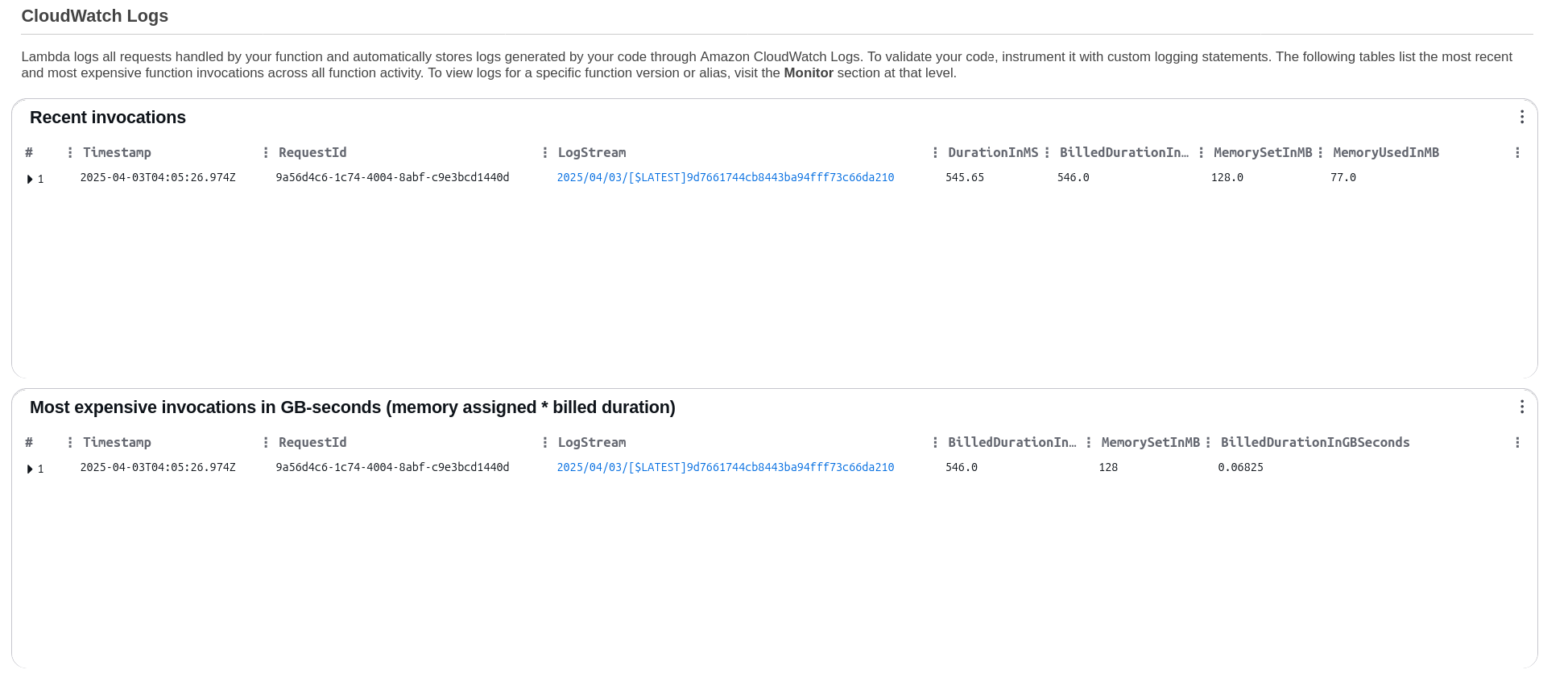
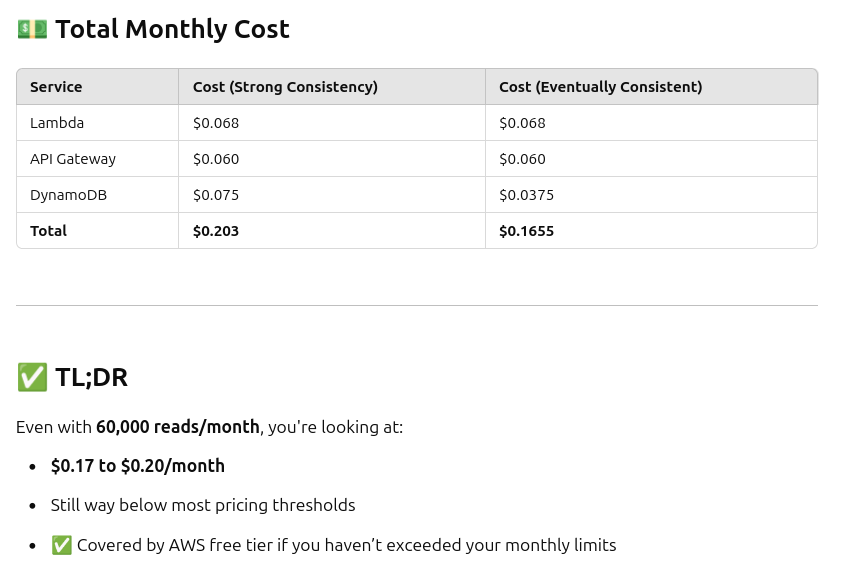
I’m thrilled to have this up and running - looking at Cloudwatch Logs shows very low resource usage on the Lambda side, which means this will scale up for our (moderate) demand with no issues at all - ChatGPT confirms for the traffic I’m expecting, this should cost about a quarter a month!
At ~60,000 requests per month, the total estimated cost is under $0.20/month — still covered by the AWS free tier.
My next step will be to update the application code for the Planes Overhead app to use the new backend for typecode lookups - I’m excited to knock that out soon!