Peek at the header of my site and you’ll see a new capability added - a search bar!
I was inspired by Vicki Boykis’s blog post in which she uses the Lunr.js framework to add search to her blog, which runs on the same static site framework I use (Hugo).
After a bit of research, I decided to use Pagefind instead of Lunr.js - it’s also a lightweight client-side search framework, I just found it to have richer and easier-to-follow documentation.
I’m feeling pretty good about the initial implementation - after Hugo builds my blog (as usual), there is a new follow-up step that reads the latest HTML and produces a static, segmented search index that the new search toolbar can hit directly in the browser - no database, API, or server-side dependencies.
The Basic Architecture
My blog already builds via an AWS CodeBuild job, which picks up my latest commits to the “posts” repo, builds the site with Hugo, and deploys to S3 and CloudFront. Adding search only required inserting one new step:
Hugo builds the site
    ↓
Pagefind indexes the generated HTML
    ↓
CodeBuild syncs everything to S3
    ↓
CloudFront cache is invalidated
Accordingly, the build stage of my buildspec.yml now looks like this:
phases:
    build:
        commands:
            - hugo
            - pagefind --site public
            - test -f public/pagefind/pagefind-component-ui.js
            - test -f public/pagefind/pagefind-entry.json
            - aws s3 sync public/ PATH --region REGION --delete --acl public-read
    post_build:
        commands:
            - aws cloudfront create-invalidation --distribution-id DISTRIBUTION_ID --paths "/*"
Indexing Only the Actual Posts
Since the public directory that Hugo generates can be quite large (my site is currently 682 MB with all kinds of tables, notebooks, maps, widgets, and other sorts of crap in there) - I wanted to constrain the scope of search to only “actual posts”.
Turns out this is easily done by opting in through the data-pagefind-body attribute. I tweaked my shared post template (themes/hugo-theme-minos/layouts/partials/article.html) to add it around the body of each post, limiting the final search index to 176 actual posts.
<div class="article-inner" data-pagefind-body>
  ...post content...
</div>
Because this lives in the shared Hugo post template, every new post is automatically included the next time CodeBuild regenerates the index.
Tuning Search for This Blog
Pagefind allows you to customize the weights of the model that influences search ranking - a way to manually tune the relevancy of results! After some exploration I assigned the following weights:
- Title: 7
- Description: 5
- Tags: 5
- Body: 1
- Categories: excluded
As you can see, I found Categories to be more or less useless for search! They are simply too low cardinality - most of that same information is better captured in Tags, for which my blog actually has 900+ distinct records. Much better to have “statcast” or “lakers” or “world cup” than just “sports”!
Finally, I added a small preference for recency - posts published within a year get a 10% boost, and posts from the next three years get a 5% boost.
Finalizing the UI
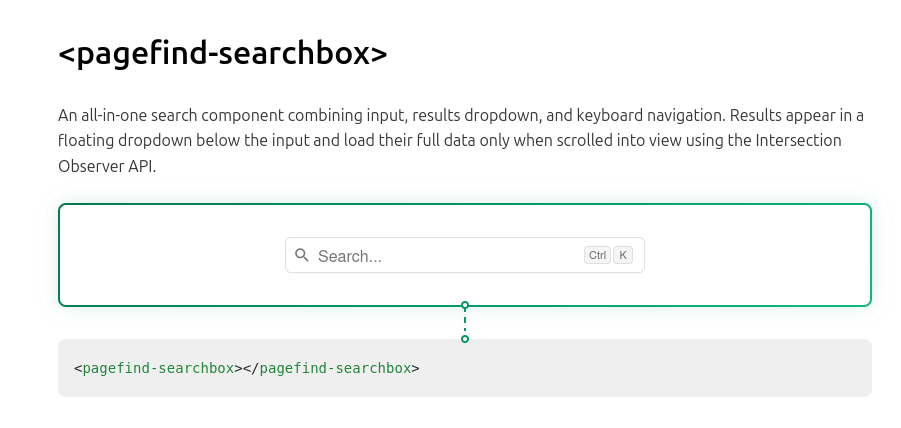
Pagefind’s component library already includes an all-in-one search box with debouncing, excerpts, keyboard navigation, and an accessible results dropdown. I dropped that into my header, set the maximum number of results to 10, and called it a day! The entire UI adds only 46 KB of compressed Javascript and CSS to page loads - super lean.
<link rel="stylesheet" href="/pagefind/pagefind-component-ui.css">
<script type="module" src="/pagefind/pagefind-component-ui.js"></script>

<pagefind-searchbox
  placeholder="Search..."
  debounce="200"
  max-results="10"
  hide-shortcut>
</pagefind-searchbox>
The Result
I love this implementation of search because it adds so much for so little! Users get fast, private, client-side search, and I get to keep my entire deployment architecture as-is, with just one new build step slotted in. Outside of this one-time setup, there shouldn’t be much maintenance burden either.
The only upcoming work I can think of is a potential LLM-assisted cleanup of the Tags themselves so that Pagefind has better raw materials to work with… I’ll turn to that next!